
Honda Odyssey Owners Manual: Playing a USB Flash Drive
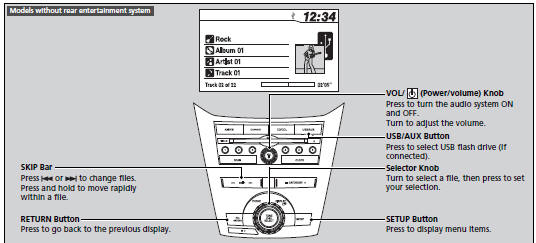
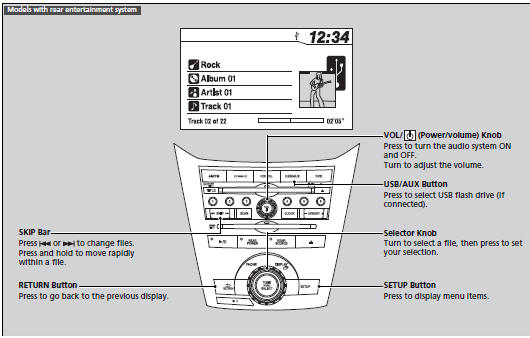
Your audio system reads and plays sound files on a USB flash drive in either MP3, WMA or AAC*1 format. Connect your USB flash drive to the USB adapter cable, then press the USB/AUX button.
|


See More:
Honda Odyssey Service Manual > Crash Sensors: Side Impact Sensor (Third) Replacement
Removal Do the battery terminal disconnection procedure, then wait at least 3 minutes before starting work. Remove the rear side trim panel. Disconnect the side impact sensor (third) 4P connector (A) on the left or right side wire harness. Left side ABC Right side ABDC Remove the TORX bolt (B) using ...
Honda Odyssey Owners Manual
- Quick Reference Guide
- Safe Driving
- Instrument Panel
- Controls
- Features
- Driving
- Maintenance
- Handling the Unexpected
- Information
Honda Odyssey Service Manual

© 2018-2026 Copyright www.hodyssey.net
0.0086